
How to check Bitcoin Wealth on BscScan: 4 steps on your phone, explained in 4 minutes
Explainer 5 of the Thandi and Leo series. Thandi asks how to read the open book, and Leo shows her on her phone: four steps on BscScan, with a real payment from 24 November 2026. Then, your own Bitcoin Wealth website. Watch it, then read every word below.
Watch the video
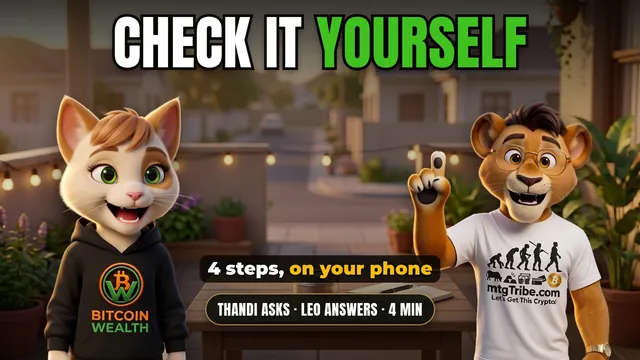
Explainer 5, 4:23Watched
In this video
- What BscScan is: a public window into BNB Smart Chain
- Step 1: type bscscan.com yourself and open the contract
- Step 2: one real payment, in and straight out
- Step 3: the Token Holdings, where the Royal Pool waits
- Step 4: your own wallet, and next, your own website
It plays right here, in the laptop frame, and closes itself at the end. Tap a chapter below to watch just that part.
Invited by someone else? Join with their link, so they stay your sponsor.
Every word, chapter by chapter
Tap a time to start the video at that part.
Chapter 1 · 0:00The book is open, but how do I read it?
Thandi: Leo, you said the book is open. But how do I actually read it? I'm not a computer person!
Leo: You don't need to be. If you can track a parcel, you can do this. Welcome back, family. Today: 4 steps on BscScan, on your phone.
Chapter 2 · 0:19What BscScan is: a block explorer
Leo: BscScan is a block explorer: a public window into BNB Smart Chain. You know a parcel's tracking number? You type it in, and you see every stop the parcel made. Here, you type in the contract's address, and you see every payment it ever made. Where the picture stops: it shows wallet addresses, never people's names.
Chapter 3 · 0:40Step 1: open the contract on BscScan
Thandi: Okay, step one. Where do I find the contract's address?
Leo: On the guide's Check It Yourself page. Copy it from there. Then type bscscan.com yourself. Never tap a BscScan link someone sends you: fake sites copy it to steal wallets. Paste the address, and check the first and the last characters match.
Thandi: I'm in! What am I looking at?
Leo: This is the contract's own page. The Transactions tab lists every activation since April 2026, newest on top: over 41,000 member IDs by mid November. Each row is one transaction, with the time it happened.
Chapter 4 · 1:21Step 2: open one transaction
Thandi: Can I open one?
Leo: Step 2. Tap any transaction. Here's a real one, from the 24th of November. Scroll to ERC-20 Tokens Transferred. 0.001 BTCB goes into the contract, and in the same transaction, 0.001 BTCB goes straight out to another member's own wallet. Nobody pressed a button. The program did it.
Thandi: So the money doesn't sit there. It goes straight on! I can see it!
Chapter 5 · 1:54Step 3: Token Holdings
Leo: Step 3: Token Holdings. The contract does hold some BTCB: on the 24th of November, about 0.54. That's where the Royal Pool waits for its monthly payout.
Chapter 6 · 2:07Step 4: your own wallet
Leo: Step 4: your own wallet. Once you're a member, paste your own wallet address into BscScan, the same way. You'll see your own activation, and every payment in and out of your wallet, each with the time it happened. Nobody has to tell you. You see it for yourself.
Chapter 7 · 2:24Thandi says it back
Thandi: Let me say it back. I type BscScan myself. Transactions: every activation.
Thandi: One transaction: the payment goes straight on.
Thandi: Token Holdings: the Royal Pool. And my own wallet: every payment, in and out.
Leo: That's it! You've got it. And that's how we learn best: by teaching others.
Leo: This is education, not financial advice. So take your time, and do your own research.
Chapter 8 · 2:56Next: your own Bitcoin Wealth website
Thandi: What's next, Leo?
Leo: Next: your very own Bitcoin Wealth marketing website, with your own link.
Leo: Already sharing Bitcoin Wealth with people? Picture your own website: bitcoinwealthpays.com/yourname. Like bitcoinwealthpays.com/zizi. This whole guide, every tutorial and every explainer, with MTG's branding taken off, and your name, your WhatsApp and your socials on it. Every Join button carries your own referral link, so everyone who signs up there joins your team. Your website shares the guide for you, day and night.
Thandi: My own website, with my own link? I want that!
Chapter 9 · 3:39Every step, and goodbye
Leo: And when you're ready to start, every step is at mtgtribe.com/bw.
Thandi: See you there!
Leo: If you want to go fast, go alone. If you want to go far, go together.
Leo: Thank you for watching. Take good care of yourself, and of the people you love. We can't wait to welcome you. Goodbye for now.
Your next step
Your own website
This whole guide at bitcoinwealthpays.com/
The address and the 4 steps
Copy the contract address, and read the four steps in writing, with what the blockchain showed.
Thandi and Leo, and their voices, are made with AI. Education only, not financial advice: take your time and do your own research.
Ready, or still have a question?
The sign-up button copies MTG's link and opens nothing, so you can paste it into SafePal's browser. Questions? Ask in the MTG TRIBE, or send MTG a WhatsApp message or voice note.